Remove image backgrounds in one click
Upload a photo and our AI cuts out the subject in about a second. Refine with a brush, pick a new background and download – free up to 640 px, HD with credits.
No image at hand? Try one of these:




By uploading an image you agree to our Terms and Privacy Policy. Images are deleted automatically.
Pixel-perfect cut-outs, even hair and fur
Drag the slider to compare the original photo with the result.

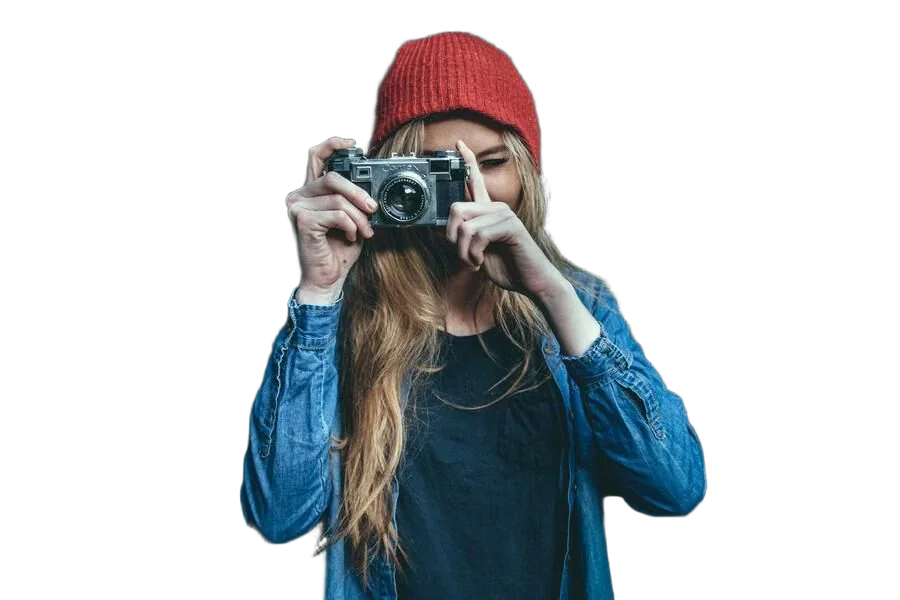
Fully automatic, about one second
Our segmentation models detect people, products, animals, cars, graphics and more – no manual masking needed.
Fix details with a brush
Magic brush removes or restores whole objects with edge detection; the normal brush gives you pixel-exact control. Zoom in for the fine work.
Private by design
Images are processed on our own servers in the EU, stored under unguessable paths and deleted automatically.
How it works
Three steps, no software to install.
Upload
Drag & drop, paste from clipboard or enter an image URL. JPG, PNG, WebP and more up to 25 MB.
Refine
Check the automatic result, brush away mistakes, choose a transparent, colour or photo background, crop to the subject.
Download
Get a 640 px PNG for free or the full-resolution HD file for one credit. Bulk and API included.
Everything you need for clean cut-outs
Bulk processing
Upload up to 100 photos at once, process them in parallel and download a single ZIP.
Learn more →Developer API
One HTTPS request – image in, cut-out out. Sample code for 9 languages and an OpenAPI spec.
Learn more →Extensions & plugins
Chrome, Edge, Firefox and Safari extensions plus Photoshop and GIMP plugins.
Learn more →New backgrounds
Transparent, any colour or your own photo – and crop to the subject with an optional margin.
Magic brush cut-out
Paint roughly over anything that should disappear (or come back) and the AI snaps the change to the edges – or use the normal brush for pixel-exact control.
Earn 30% as an affiliate
Share your link and receive 30% of everything your referrals spend.
Learn more →Made for
Frequently asked questions
Is bgCut.net free?
Yes. Processing and previews are free. Registered users can download 5 images per month at up to 640 px for free. Full-resolution HD downloads cost 1 credit each.
What is a credit?
One credit unlocks one image in full resolution (up to 30 megapixels). Once unlocked, you can re-download the same image with different backgrounds or formats for free.
Which image formats are supported?
JPG, PNG, WebP, GIF, BMP and TIFF up to 25 MB. Output is PNG (transparent), WebP or JPG.
How long do you keep my images?
Images from anonymous visitors are deleted after 2 hours, images of registered users after 30 days (or immediately when you delete them).
Can I remove backgrounds in bulk?
Yes – the bulk tool processes up to 100 images at once and gives you a ZIP. For larger volumes use the API.
What if the automatic result is not perfect?
Use the cut-out tool: the magic brush removes or restores whole parts with edge detection, the normal brush edits exactly what you paint. You can also switch to the maximum-quality model and re-run the AI.
Do credits expire?
No, purchased credits never expire.
Is there an API?
Yes. Create an API key in your account and send a single POST request. Documentation and code samples in 9 languages are available.